


Create email and text message campaigns.
Pick email or text message, design it, choose who gets it, and send.
Sign-ups, payments, digital membership cards, and events, all in one place. Built for clubs, nonprofits, associations, and chambers of commerce.
From your first membership level to your full member list.
Set the price, the billing schedule, and what each level includes.
They pick a level on your site, pay, and get their digital card by email.
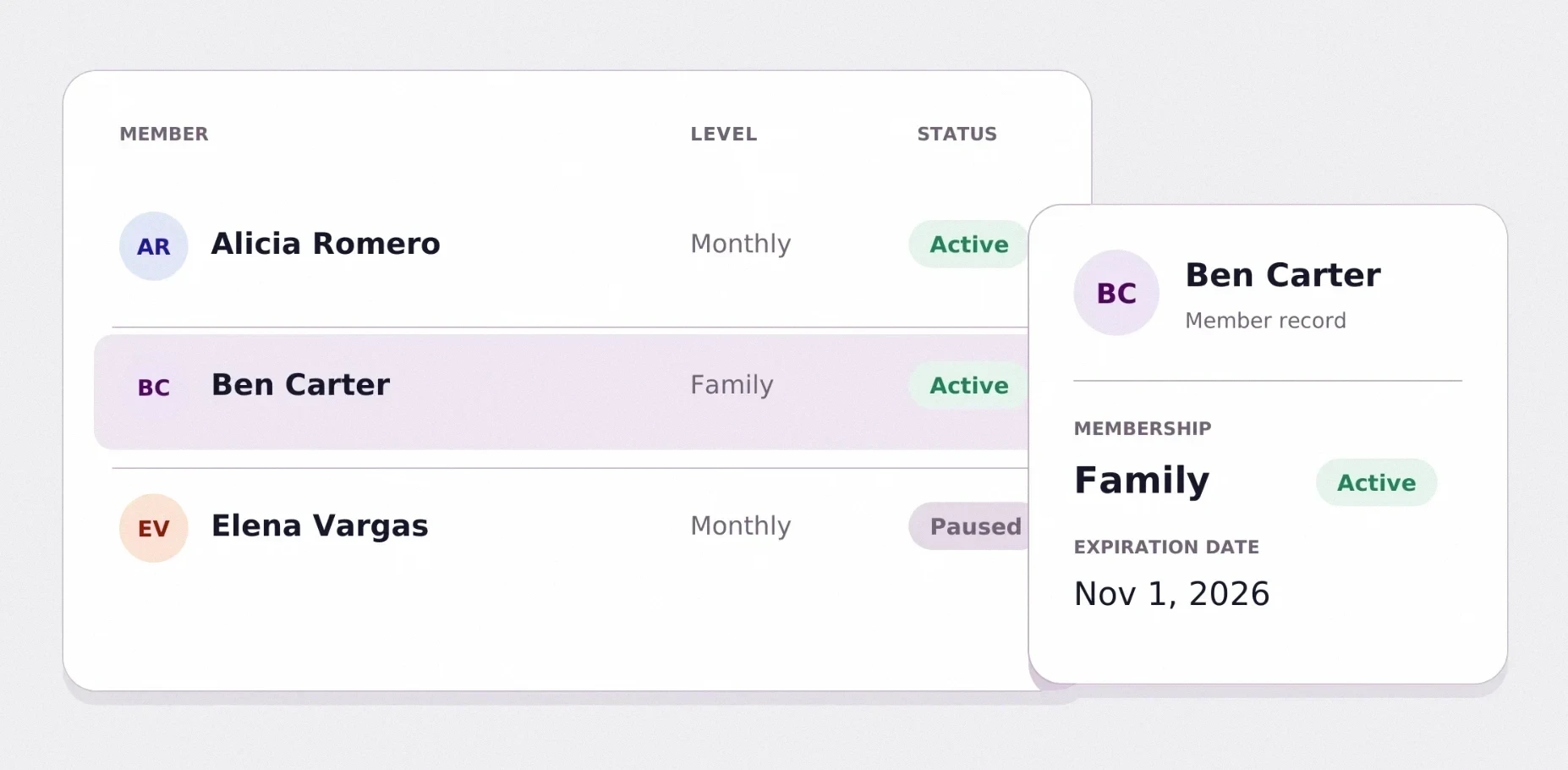
See status, payments, and renewals, and update a membership anytime.
One list shows each person's level, status, and expiration date. Bring in your current members from a spreadsheet.
Visitors see your membership levels, events, and sponsorship tiers, and sign up. Members manage their membership online.
Add sections and match your organization's colors, fonts, and style.
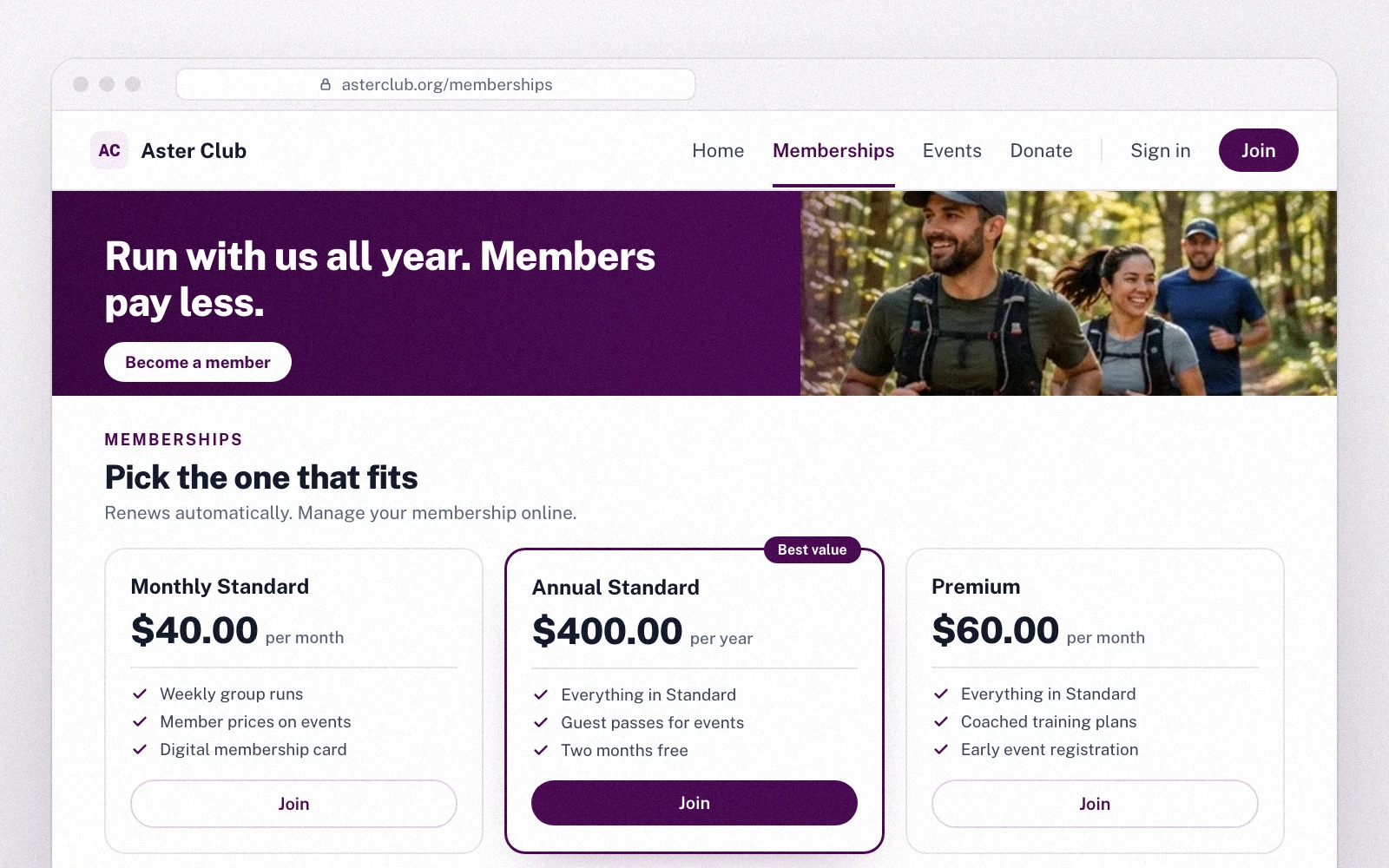
Memberships renew automatically on each level's schedule, so dues come in without manual follow-up.
Members authorize once, and each charge runs on its own.
Members see the amount and date before each charge.
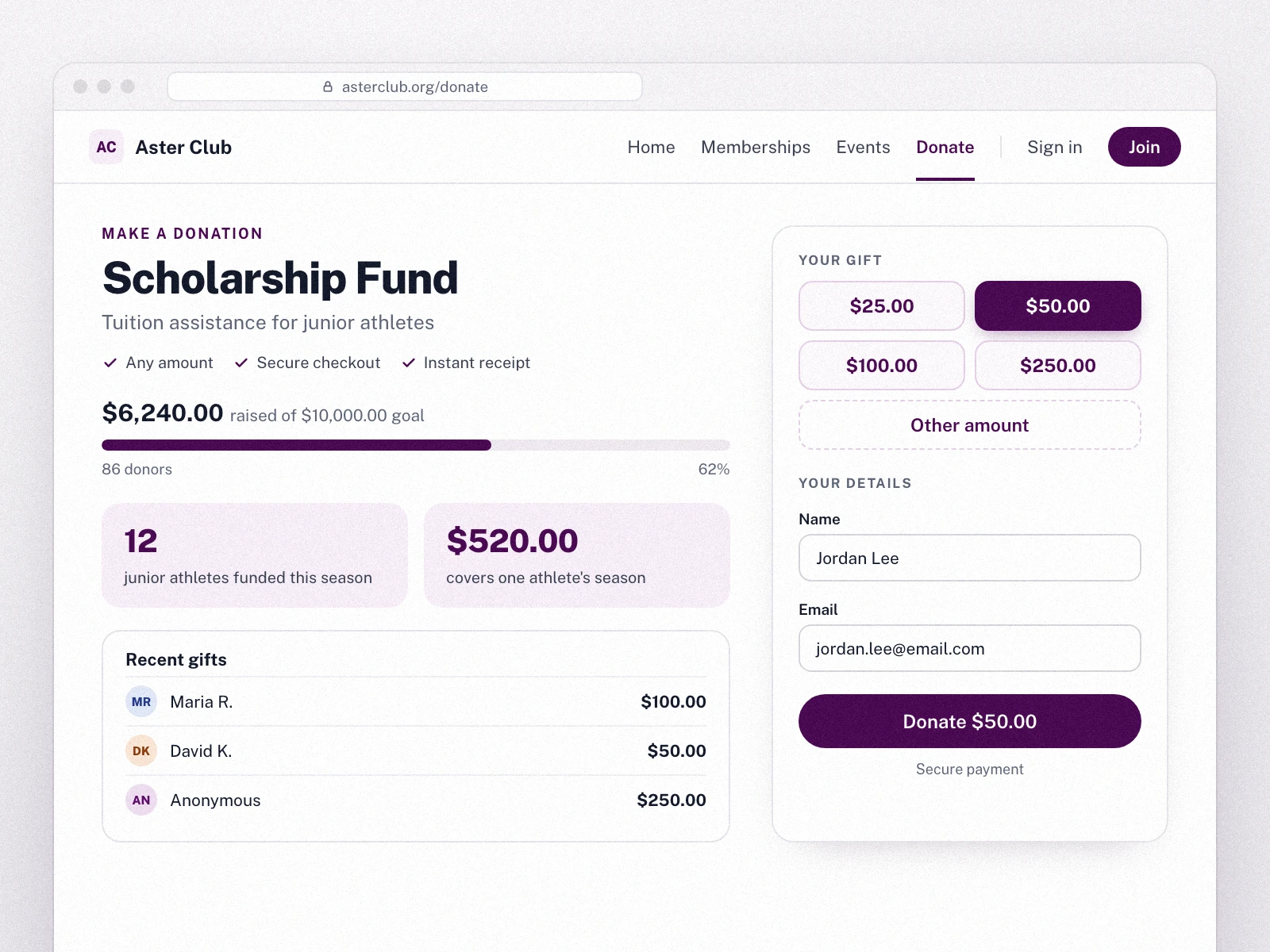
Create a donation page for each cause, alongside membership fees.
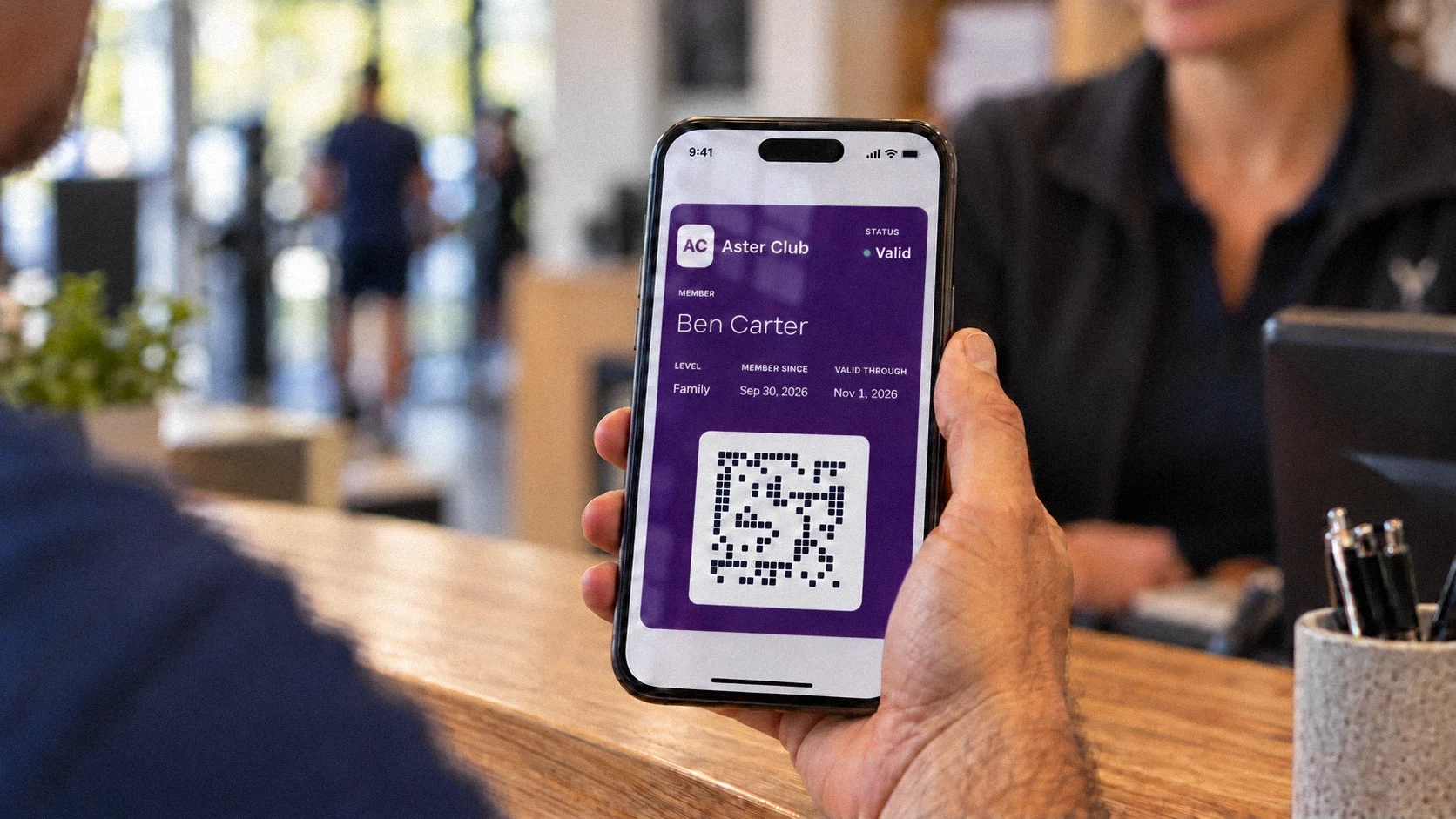
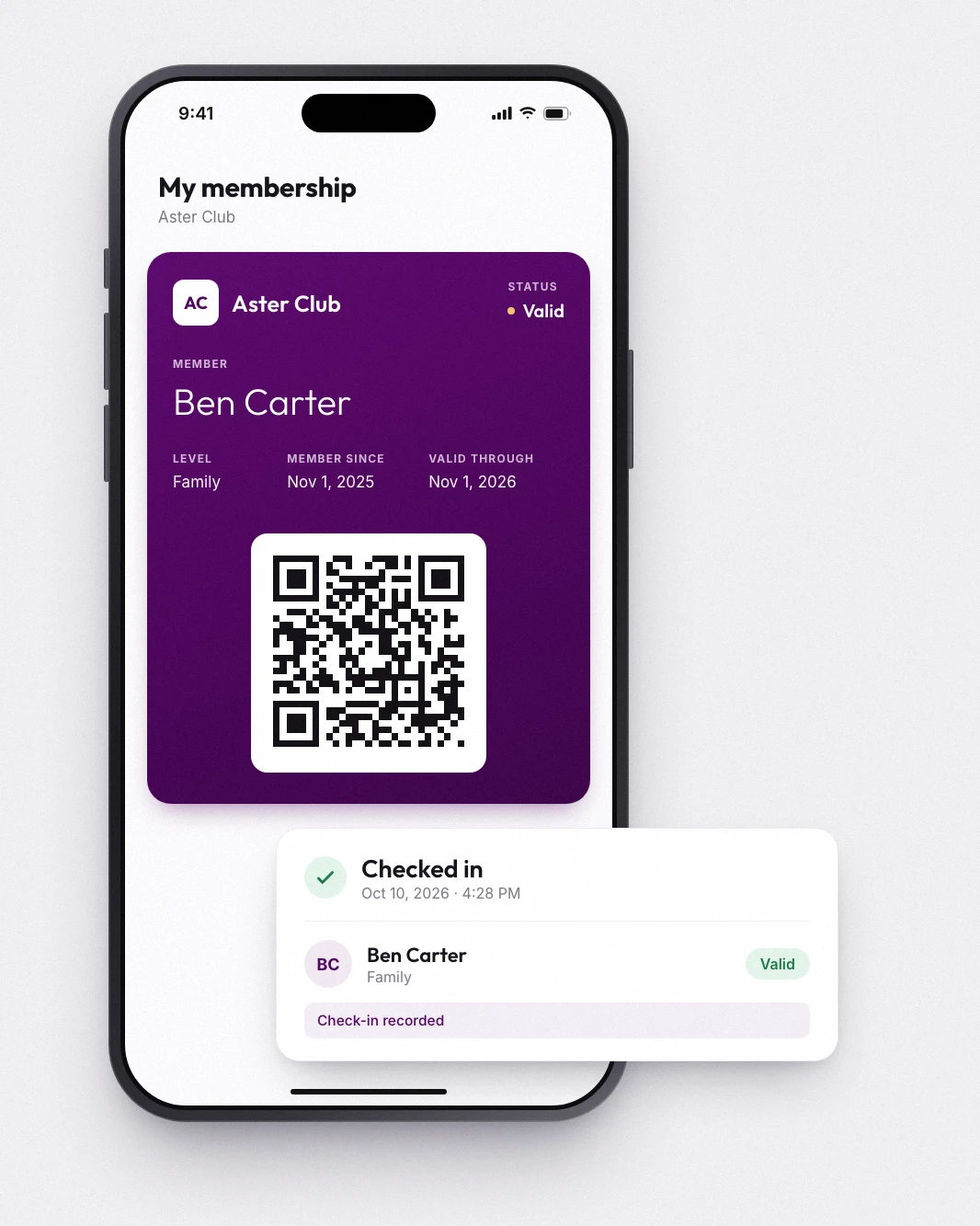
Members save their card to Apple Wallet or Google Wallet. There's no app to download.
By email, or with a QR code at the front desk.
The screen shows if the membership is active, and you can renew on the spot.
Renewals and level changes update the card automatically.
Members and guests register and pay online, each at their own price. Bring in sponsors too.
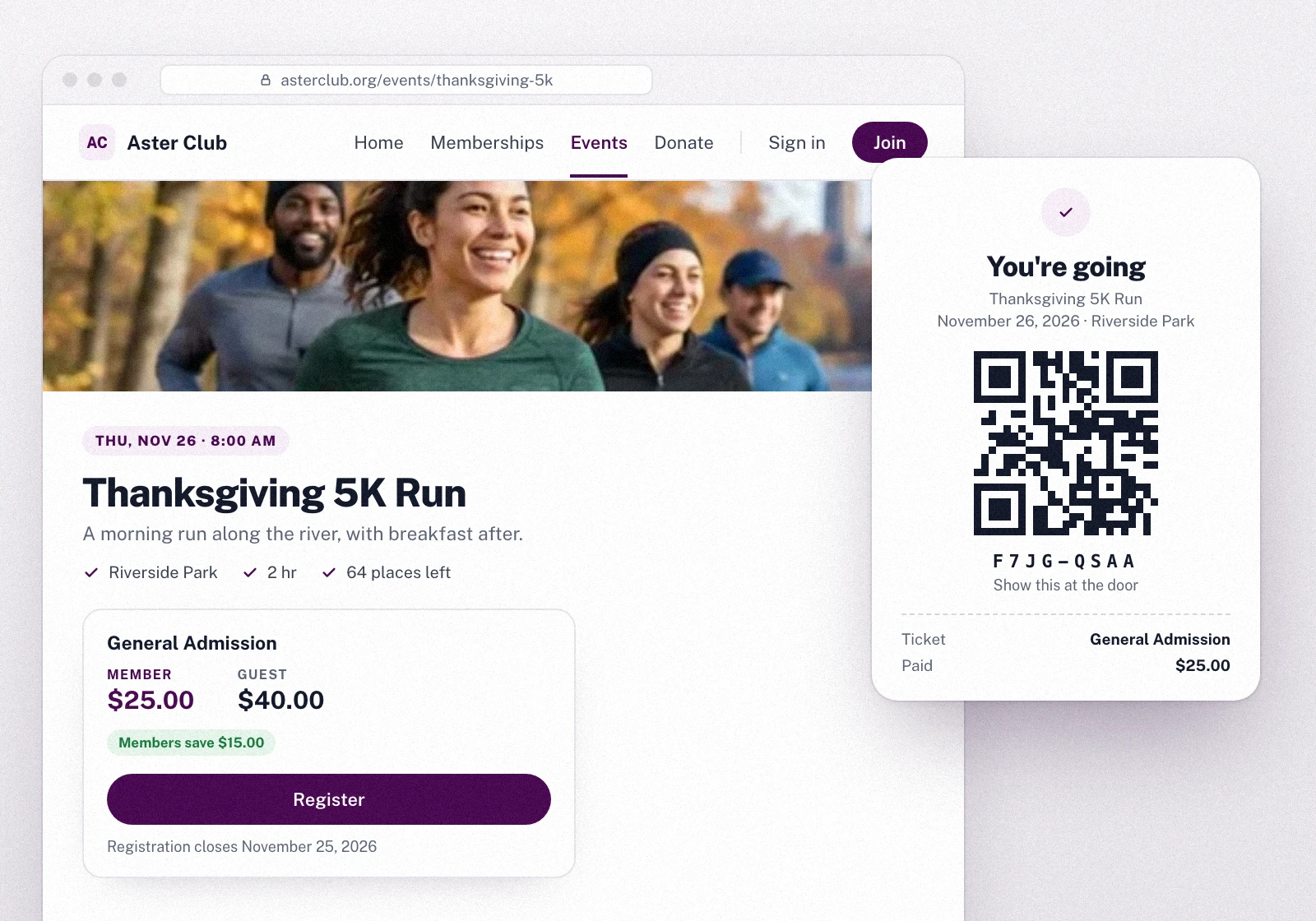
Offer sponsorship tiers on your event page and let companies support your events.
Create sponsorship tiers, each with its own price and benefits.
It chooses a tier on your event page and commits to it.
Sponsors pay right away or later, and appear on your event page once they pledge.
Campaigns and automatic follow-ups for every stage of membership. Staff can also share a direct registration link by text message or social media.
Pick email or text message, design it, choose who gets it, and send.

Renewal reminders, birthdays, anniversaries, and win-back messages.
The numbers membership organizations check most. Export to CSV or print them, and dues, event payments, and donations sync with QuickBooks Online.
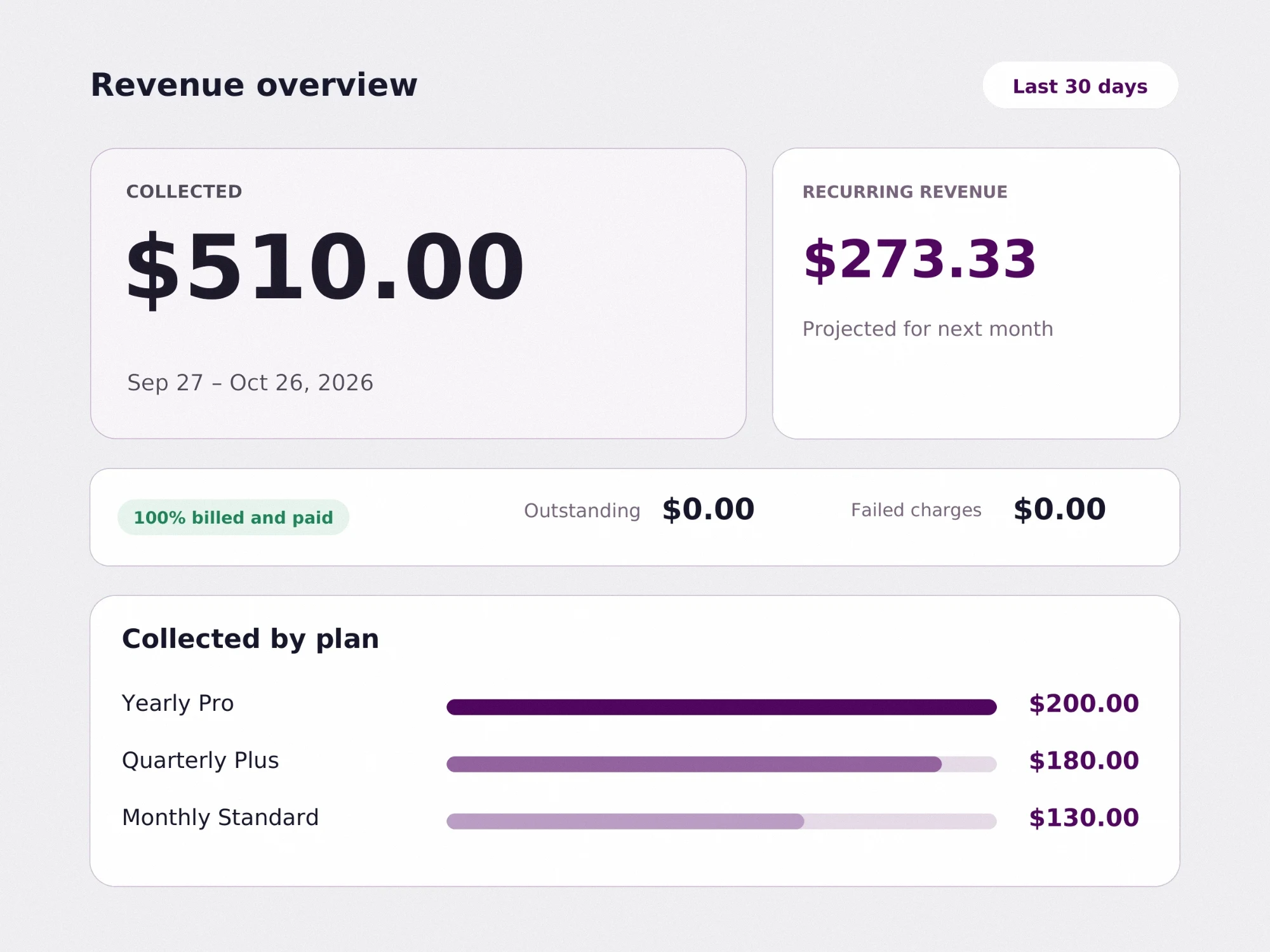
Fees collected, by level.
New, renewed, and expired members.
Registrations, with members and guests counted separately.
Statements for the period you choose.
Software pricing for VelaStudio Membership is being finalized. Tell us about your organization, and our sales team will walk you through the options.
Clubs, nonprofits, associations, and chambers of commerce that collect membership fees, keep a member list, and run events. It also works for businesses that want to sell memberships separately from the point of sale they use today.
No. Members save their digital membership card to Apple Wallet or Google Wallet from a link or a QR code. Your member site also works in any phone browser.
Yes. A family or group level sets how many people it covers. The person who pays signs up, then adds each person from their account. Everyone gets their own card and shares one fee and one renewal date. People without an email address still get a card.
When members sign up, they see the full terms and authorize recurring payments. Fees are billed on the level's schedule, a renewal notice goes out before each charge, and members can cancel online from their account.
A phone or tablet signed in to VelaStudio, and the member's digital card. Staff scan the QR code on the card, and the screen shows whether the membership is active.
Yes. Publish sponsorship tiers on your event page, such as Gold at $5,000 or Silver at $2,500, each with its own benefits. A company picks a tier and pledges: it can pay right away, or later, in full or in parts. Sponsors appear on the event page as soon as they pledge.
Yes. Upload a spreadsheet with your current member list, and each person becomes a member record in VelaStudio.
Yes. Members who sign up online can cancel online from their account, without calling or emailing your organization.
Tell us how your organization runs memberships today, and we'll show you how VelaStudio Membership works.
Organization name
Name
Phone number
About
Type
The support team closed this conversation.
Step 1 of 2
Create your account and set up your club or organization in under 2 minutes.
Step 1 of 2
Step 2 of 2
Set up your location so we can tailor VelaStudio Membership to your club or organization.
Available for clubs and organizations in the United States.